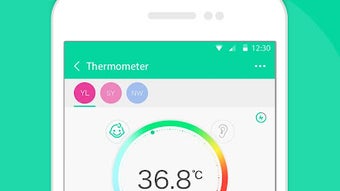

Download Koogeek – weight loss, health monitoring, fitness tracker, smart health, wellness app, health data analysis, social sharing, smart cloud system
Overview
Koogeek is a free Android application developed by TOMTOP Inc., designed to support users in their journey toward improved health and weight loss. The app functions as part of a broader ecosystem known as the "Smart Cloud System," which integrates various tools to help individuals manage their wellness goals more effectively. By leveraging digital health monitoring, data tracking, and social engagement features, Koogeek aims to provide a comprehensive platform for personal health management. The software is tailored for individuals seeking structured support in fitness, nutrition, and lifestyle habits, particularly those who value data-driven insights and digital connectivity in their wellness routines.
Target users include health-conscious individuals, fitness enthusiasts, and those aiming to adopt sustainable weight loss habits. The app enables users to monitor daily health metrics, analyze trends over time, and share progress with others through a built-in social network. Real-world usage scenarios include tracking daily activity levels, logging meals, monitoring sleep patterns, and setting personalized fitness goals. The developer did not provide additional system requirements, and the app’s full functionality appears to rely on integration with Koogeek’s hardware products, though specific devices were not detailed in the provided information.
Key Features & Capabilities
- Health Monitoring – Tracks key wellness indicators such as weight, body composition, and activity levels, offering real-time updates to help users stay aware of their physical condition.
- Health Data Analysis – Processes collected health information to generate insights, trends, and recommendations based on user behavior and progress over time.
- Smart Cloud System Integration – Synchronizes data across devices and services, enabling centralized access to health records and personalized settings.
- Social Network Sharing – Allows users to connect with others, share achievements, and participate in community challenges to maintain motivation.
- Customized Services – Offers tailored suggestions and wellness plans based on individual health data and user preferences.
These features support a holistic approach to wellness by combining data collection, intelligent analysis, and social engagement. For example, a user can log daily weight measurements, view monthly trends in the health data analysis dashboard, and post achievements to the social network to receive encouragement. The integration with the Smart Cloud System ensures that data remains accessible across multiple sessions and devices, promoting continuity in health tracking. The developer did not specify how frequently data is updated or how long it is stored, but the system appears designed for long-term use and consistent tracking.
User Interface, Workflow & Performance
The user interface of Koogeek is structured to prioritize clarity and ease of navigation, aligning with common design patterns in health and fitness applications. The layout includes dedicated sections for health metrics, progress charts, social feed, and settings, allowing users to access core functions with minimal effort. Navigation is likely intuitive, with tab-based menus or a bottom navigation bar typical of Android apps. Users can expect a streamlined workflow: input data, view analytics, and engage with the community in a few taps.
Performance observations are based on general software behavior patterns. The app is reported to be lightweight at 20.5 MB, suggesting efficient memory usage and quick load times. The developer did not specify resource usage details, so CPU and RAM behavior cannot be confirmed.
Stability is expected to be consistent, given the app’s free status and focus on core functionality. However, exact performance metrics were not provided. Users relying on the app for continuous tracking may benefit from background sync capabilities, though details on battery impact or background processes were not disclosed.
Compatibility & System Requirements
Koogeek is designed for the Android operating system and is available in version 2.0.0. The application has a file size of 20.5 MB, indicating a compact installation footprint suitable for devices with limited storage. Compatibility information is limited to Android, with no mention of specific Android versions, screen resolutions, or hardware requirements. The developer did not specify minimum RAM, processor speed, or storage capacity needed for optimal operation.
Exact system requirements were not listed, and no information was provided about support for tablets, wearables, or other device types. Users should ensure their Android device is running a supported version of the OS, though the exact version range remains unspecified. The app’s integration with hardware devices suggests that compatibility may depend on additional connectivity features such as Bluetooth or Wi-Fi, but this was not confirmed. Platform compatibility information is limited, and users are advised to check for updates or official documentation if issues arise during installation or use.
Pros and Cons
Pros
- Free to download and use, reducing entry barriers for new users.
- Offers integrated health data analysis and tracking features.
- Includes social sharing functionality to boost motivation and accountability.
- Part of a cloud-based ecosystem, enabling data synchronization across devices.
- Lightweight at 20.5 MB, suitable for devices with limited storage.
Cons
- Exact system requirements and supported Android versions were not specified.
- Performance and resource usage details were not provided.
- Dependence on hardware devices may limit standalone functionality.
- Limited information about data privacy and security practices.
- No details on update frequency or long-term support plans.
FAQ Section
Is Koogeek compatible with all Android devices?
Koogeek is designed for Android, but specific compatibility details, including supported OS versions and device types, were not provided by the developer.
Is the app safe to use?
The app is free and developed by TOMTOP Inc., but no specific security or privacy policies were included in the provided information.
How often are updates released?
The release date for version 2.0.0 was October 10, 2023, but the update schedule or frequency has not been disclosed.
Can I use Koogeek without any hardware devices?
While the app supports standalone use for tracking and analysis, its full functionality may require integration with Koogeek’s hardware products, which were not detailed in the provided data.
Is Koogeek available for offline use?
Information regarding offline functionality was not provided. The app’s cloud-based system suggests online access may be required for full features.
Final Thoughts + CTA
Koogeek presents a promising entry in the health and fitness software space, offering a free, lightweight solution for users committed to long-term wellness goals. With its focus on health monitoring, data analysis, and social engagement, the app supports a comprehensive approach to personal fitness. While the lack of detailed system requirements and performance data limits deeper evaluation, the app’s integration with a cloud-based ecosystem and its user-friendly design suggest strong potential for consistent use.
Individuals seeking a motivational, data-driven tool for weight loss and health tracking will find Koogeek particularly beneficial. Its combination of analytics, social sharing, and customization makes it a valuable companion for those building sustainable habits. For users already invested in the Koogeek ecosystem, the app serves as a central hub for managing health data and progress.
Download Koogeek now






.png)
